OpenAI Assistants
The OpenAI's Assistants API is designed to help developers build powerful AI assistants capable of performing a variety of tasks. Runbear makes it easy to connect your OpenAI Assistant to Slack, Discord, and other communication channels.
OpenAI Assistants can be integrated into Runbear by simply copying and pasting an OpenAI API key. In case you haven't built any OpenAI Assistant yet, check Buliding a Proofreading Bot to build a simple one.
OpenAI requires a paid plan for using Assistants. Check your usage plans and limits on the OpenAI Billings and OpenAI Limits pages.
Getting OpenAI API Key
You need to get or create the OpenAI API key to integrate OpenAI Assistants.
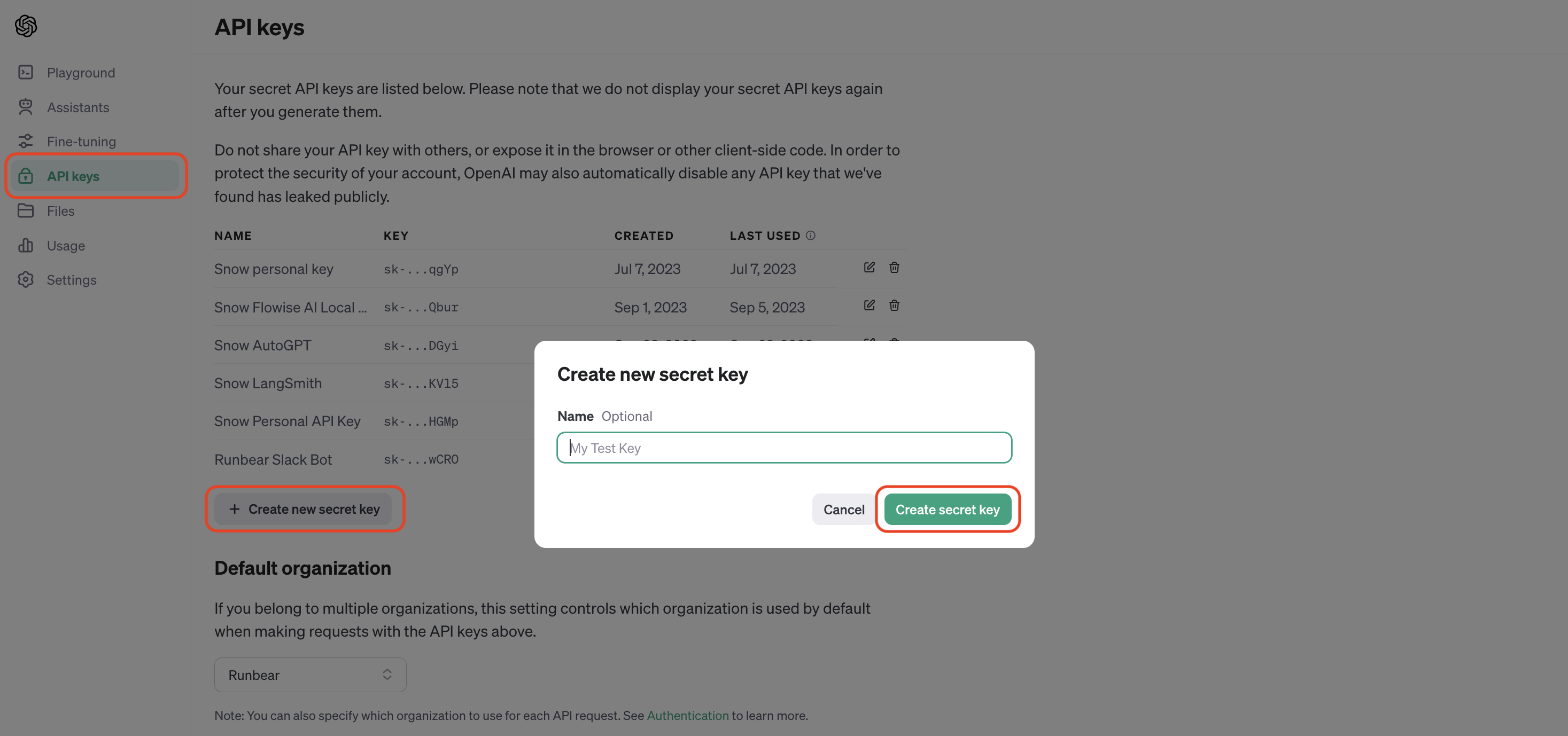
- Visit OpenAI API keys page and click the "Create new secret key" button.
- Click
Create secret keyon the dialog to create one. - Copy the created key to use it later.
Adding OpenAI Assistants
- Open Runbear Assistants page and click the "Add App" button.
- Select the "OpenAI Assistants" option.
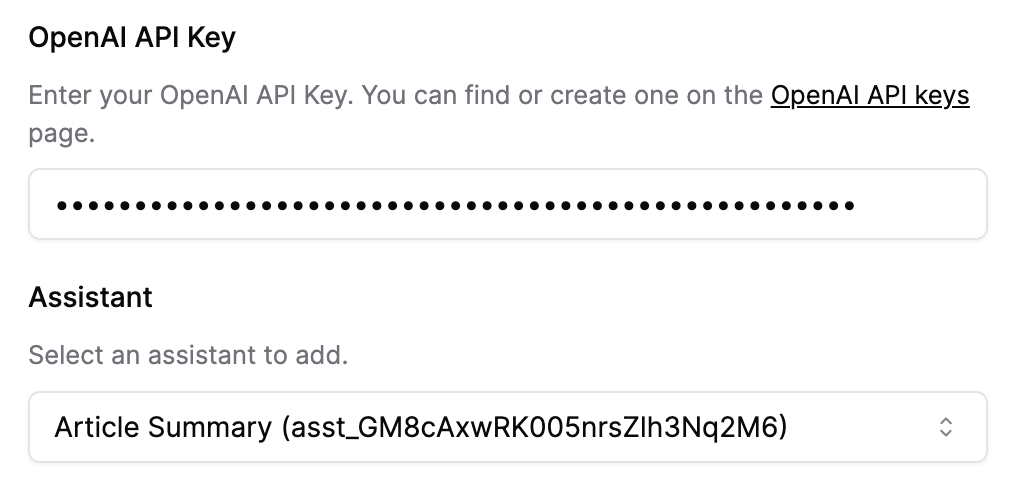
- Paste your OpenAI API key.
- Select your Assistant to add and click the "Create" button.
Advanced Tools
You can utilize the tools to build advanced Assistants.
Knowledge Bases
3 items
Web Browsing
Runbear created a web browsing tool that gives your OpenAI Assistants access to a web browser, enabling utilize massive amounts of information.
OpenAPI Function Calling
Define API functions for OpenAI Assistants using OpenAPI specification
API Function Calling
Runbear supports API function calling using OpenAI Assistants Function Calling. You can define custom actions by making one or more APIs available to Runbear. This feature is similar to Actions in OpenAI GPTs.
Current Date Fetching
Learn how to enable your OpenAI Assistants to get the current date with Runbear’s date fetching tool.
Zapier AI Actions
Learn how to configure Zapier AI Actions with your OpenAI Assistants using Runbear.
What's Next
Connect the app you added to communication channels. Check Connecting Channels with LLM Apps for more details. Or, continue reading to learn how to utilize Tools.