# Building a Q&A Bot (/use-cases/qna-bot)


As company size grows, so does the number of questions employees have about the company.

This guide outlines how to build a Q\&A bot that answers these questions using the company's handbook, saving time otherwise spent on repetitive inquiries for more important tasks.

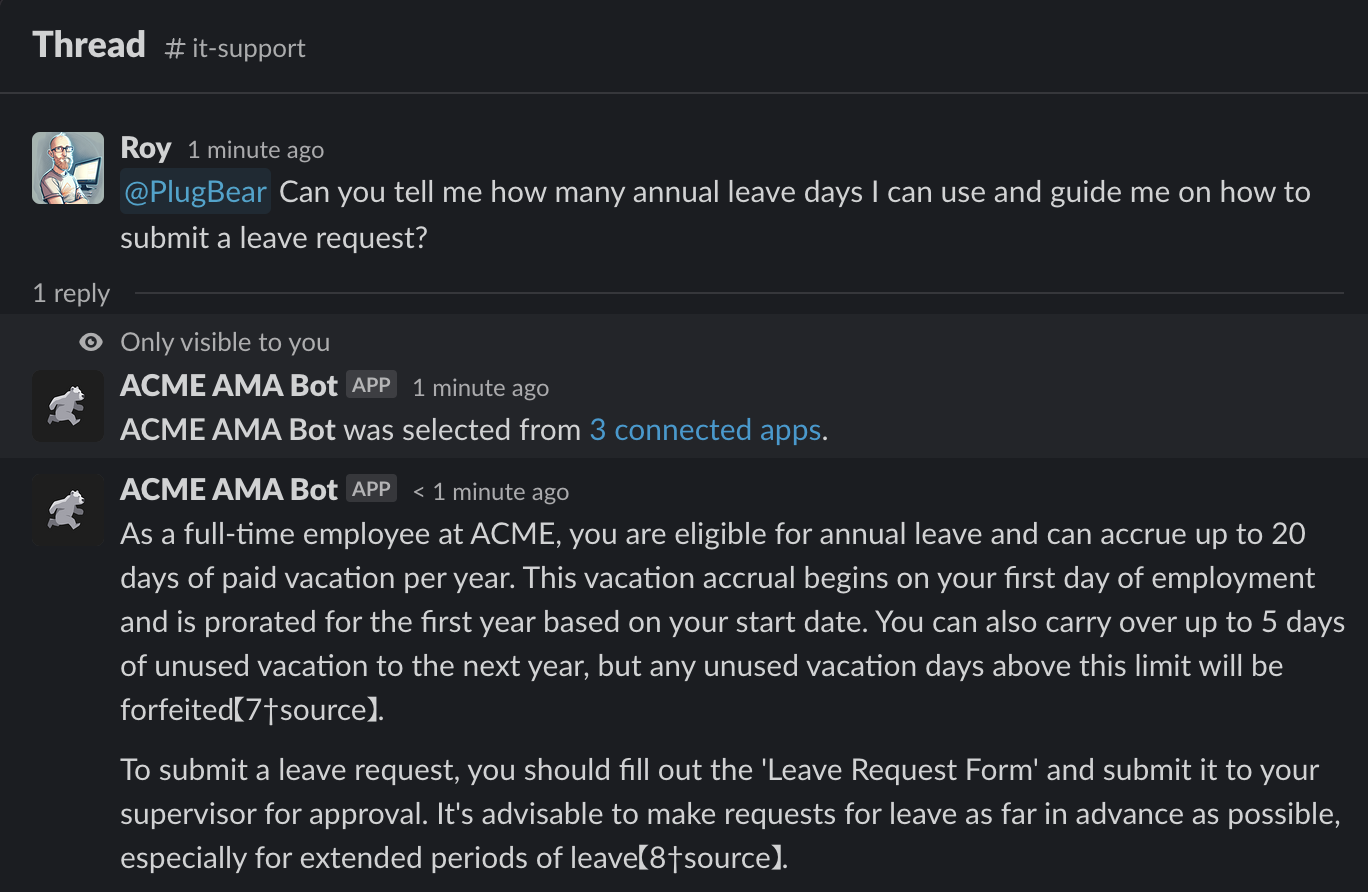
**Expectation:**
<Tabs groupId="platform" items="[&#x22;Slack&#x22;,&#x22;Microsoft Teams&#x22;]">
  <Tab value="Slack">
    ![Q\&A Bot](/img/slack-qna-bot.png)
  </Tab>

  <Tab value="Microsoft Teams">
    ![Q\&A Bot](/img/use-cases/qna-bot/teams-qna-bot.png)
  </Tab>
</Tabs>

## Preparing Knowledge Files [#preparing-knowledge-files]

Prepare the knowledge base of the Q\&A bot.

{/* TODO: Read autogenerated items under the category. NOTE: It's tricky. */}

<DocCardList
  items="[
  {
    type: &#x22;link&#x22;,
    href: &#x22;./knowledge-files/notion&#x22;,
    label: &#x22;Notion&#x22;,
    description: &#x22;Preparing the knowledge base using Notion pages.&#x22;,
  },
]"
/>

## Building Tools [#building-tools]

Select a tool and follow the instructions provided in the guide.

<DocCardList
  items="[
  {
    type: &#x22;link&#x22;,
    href: &#x22;./openai-assistants&#x22;,
    label: &#x22;OpenAI Assistants&#x22;,
    description: &#x22;Building Q&A bot using OpenAI Assistants.&#x22;,
  },
  {
    type: &#x22;link&#x22;,
    href: &#x22;./openai-gpts&#x22;,
    label: &#x22;OpenAI GPTs&#x22;,
    description: &#x22;Building Q&A bot using OpenAI GPTs.&#x22;,
  },
]"
/>